PVE HCI简介
PVE HCI 简介
PVE(Proxmox Virtual Environment)是一款开源的虚拟化平台,支持 KVM 虚拟机与 LXC 容器。结合 Ceph 分布式存储方案+ SDN EVPN-VXLAN,PVE 可以构建完整的 HCI(Hyper-Converged Infrastructure,超融合架构)。
系统基于Debian构建,但系统内核基于Ubuntu二次开发。
核心特性
计算与存储融合
PVE 节点既运行KVM虚拟机/系统级容器,又承担存储服务,避免传统架构中计算与存储分离的复杂性。
分布式存储
借助 Ceph 或 ZFS,数据自动分布与冗余,支持块存储、文件系统和对象存储接口。
网络虚拟化
支持SDN:VLAN、QINIQ、VXLAN、EVPN等功能,可以进行二层/三层网络虚拟化。
网络安全组
支持每个虚拟机有独立的防火墙,并可以配置安全组统一管理。
高可用集群
内置 HA 管理器,虚拟机在节点故障时可自动迁移,保证业务连续性。支持类似DRS的虚拟机自动化负载均衡。
统一管理界面
Web 界面集中管理虚拟化、存储、网络与备份,简化运维。
开源与灵活性
无需昂贵授权费用,支持多种硬件与网络架构,适合中小企业与实验环境。
应用场景
- 企业私有云:快速搭建虚拟化与存储一体化平台。
- 实验与学习环境:低成本构建分布式系统实验平台。
- 中小企业数据中心:替代 VMware vSphere/vSAN/NSX 等商业 HCI 方案。
PVE系列文章:https://songxwn.com/categories/PVE/
PVE 官方在线文档:https://pve.proxmox.com/pve-docs/
下载 PVE ISO 安装镜像
官网下载
Proxmox 官方下载页面:
https://www.proxmox.com/en/downloads/proxmox-virtual-environment
在页面中选择 Proxmox Virtual Environment 分类,找到最新版本的 ISO Installer,点击下载即可。
官方也提供 HTTP 直链目录,可以直接浏览所有历史版本:
https://enterprise.proxmox.com/iso/
中国大陆下载ISO镜像
在 iso/ 目录中找到文件名类似 proxmox-ve_x.x-x.iso 的镜像,按版本号选择最新的一个下载。
校验镜像完整性
下载完成后建议校验 SHA256,避免镜像损坏导致安装失败。
Linux / macOS:
1
| sha256sum proxmox-ve_x.x-x.iso
|
Windows PowerShell:
1
| Get-FileHash .\proxmox-ve_x.x-x.iso -Algorithm SHA256
|
将输出结果与下载目录中的 SHA256SUMS 文件内容比对,一致即可继续。
安装
引导ISO镜像后 - 选择安装模式
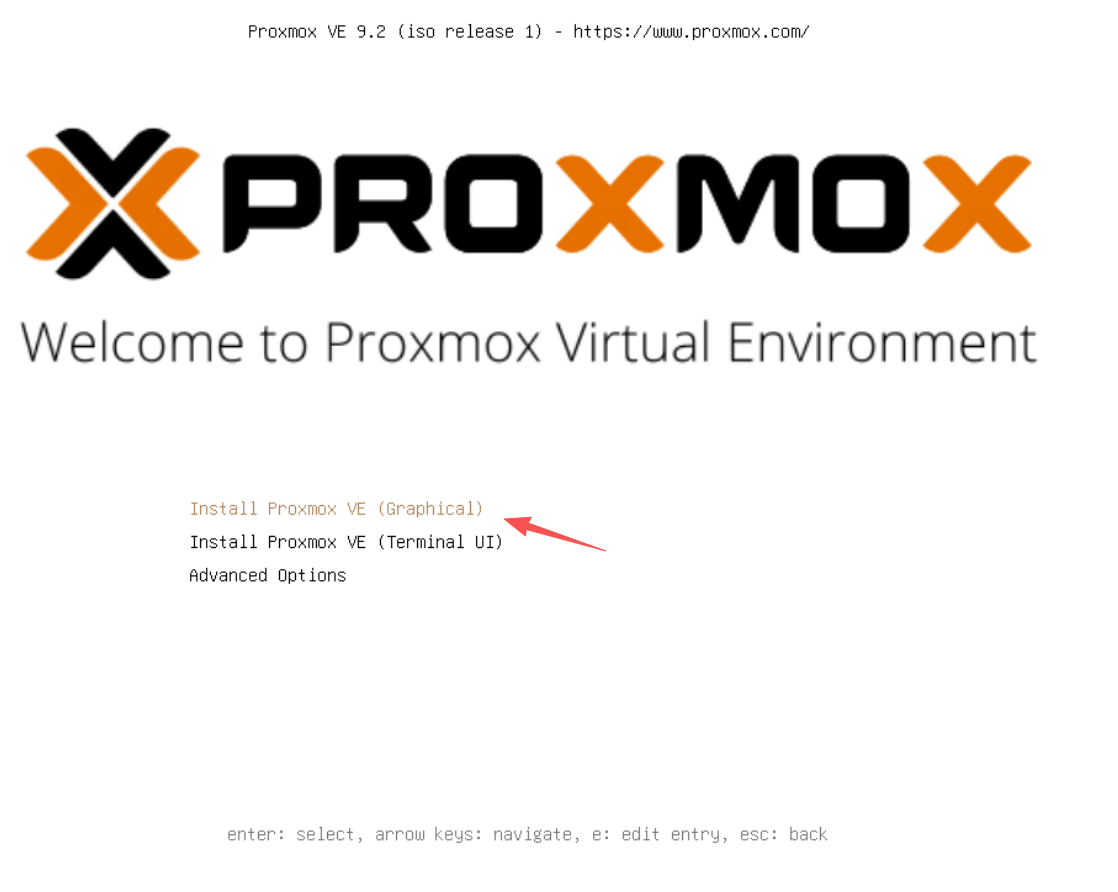
- 一般选择第一个图形化安装即可。
- 若图形化显示有问题也可以选择字符界面安装。
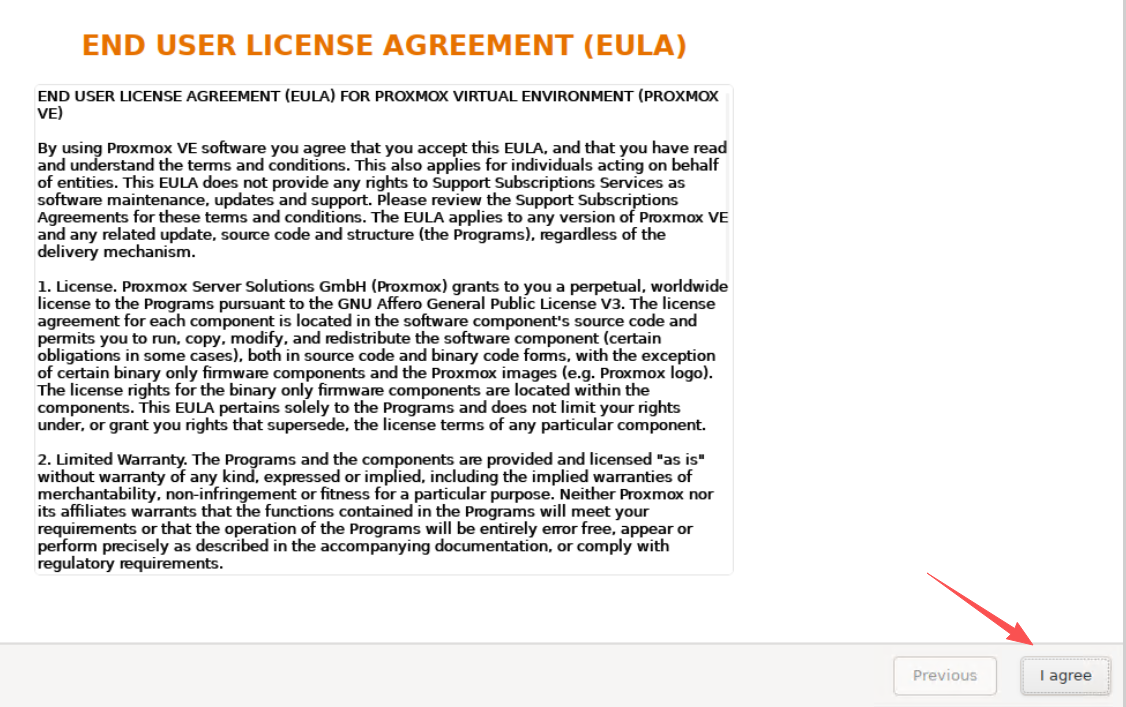
进入安装界面后 - 同意EULA(最终用户许可)
选择指定硬盘进行安装系统
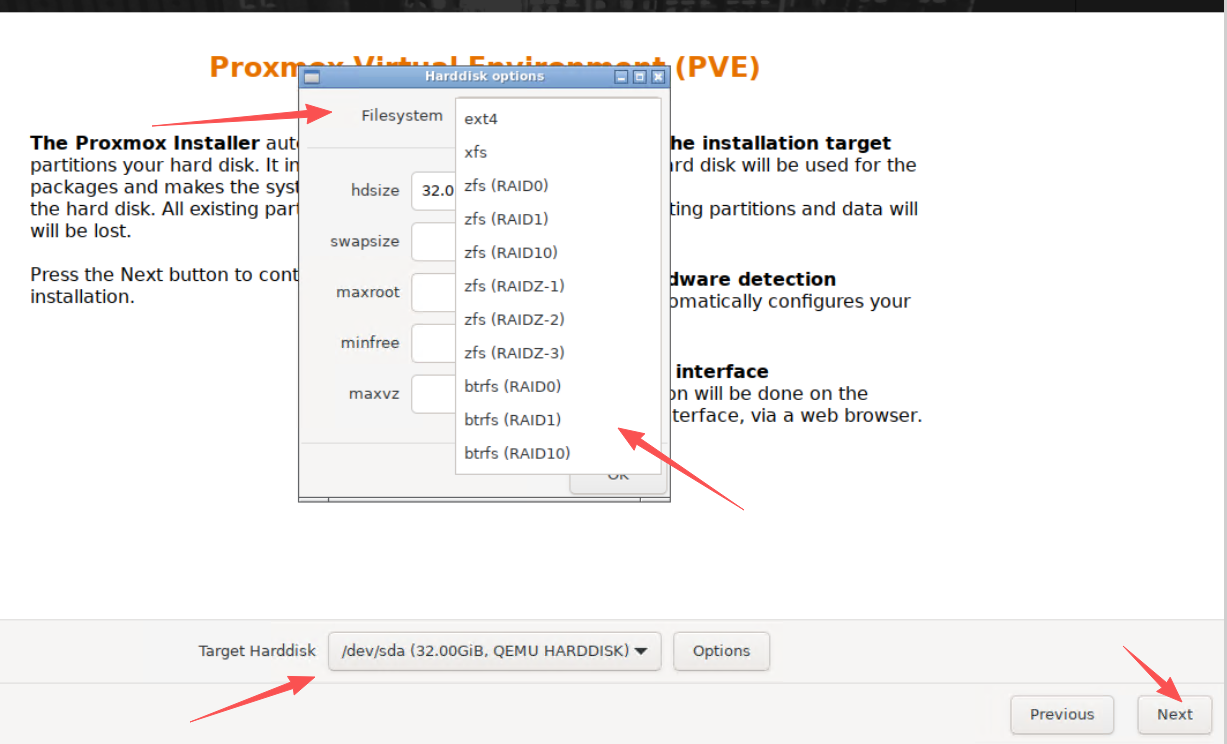
- 选择安装的目标硬盘
- 可选择安装系统分区的分区格式,一般默认的ext4即可。(推荐用硬件RAID1做的系统盘)
- 也支持软RAID,冗余系统盘。
选择地区、时区、键盘类型
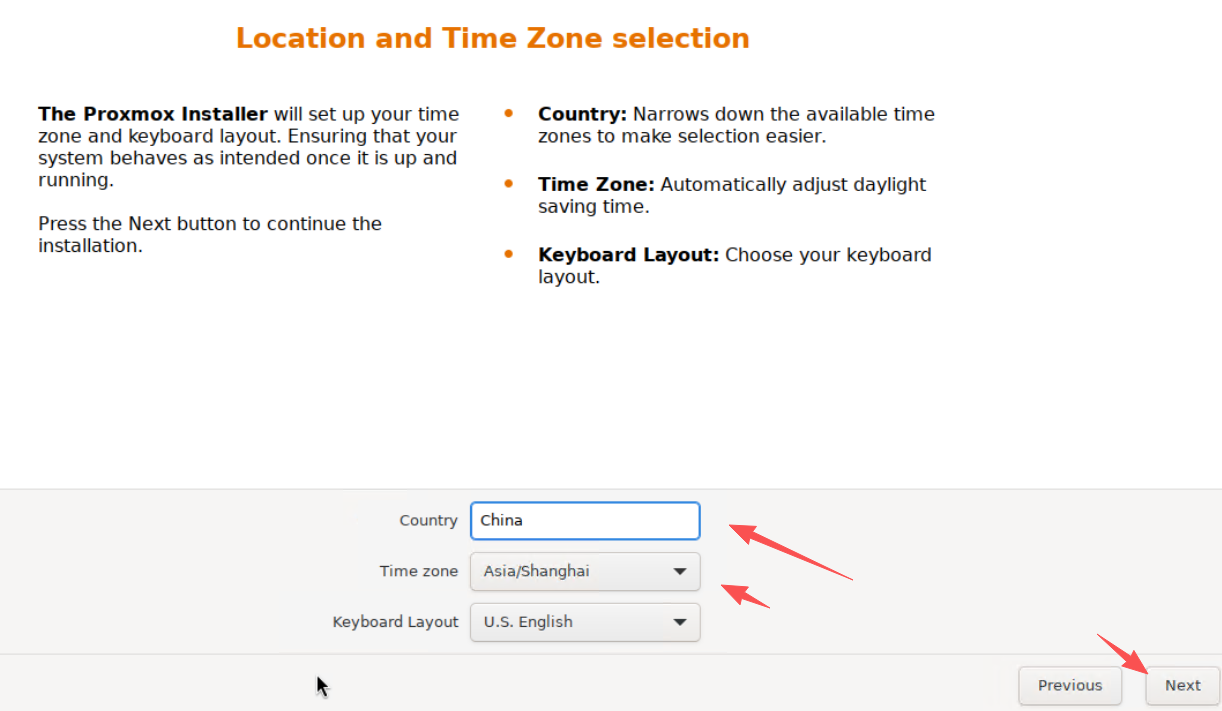
- 在地区输入China之后,时区会自动选择为东八区 - 亚洲/上海
- 键盘类型不用选
输入密码、确认密码和邮箱
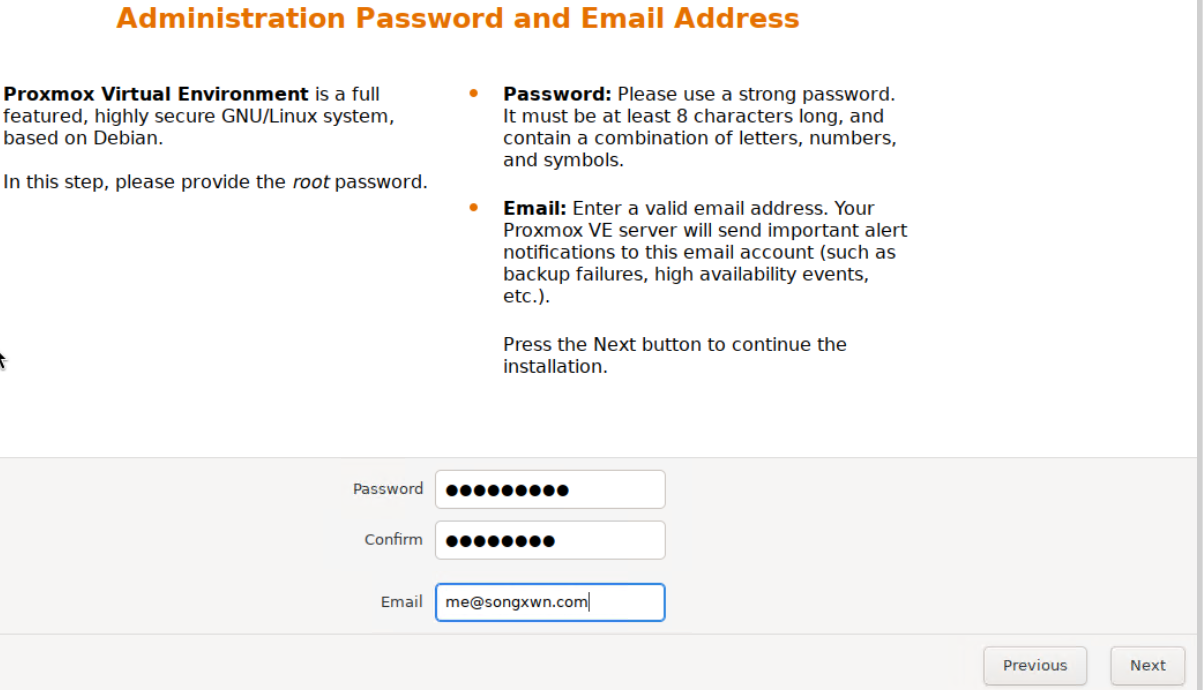
- 密码为root的,需要为最小八位、有大小写字母和数字+特殊字符。
- 邮箱任意填写即可。
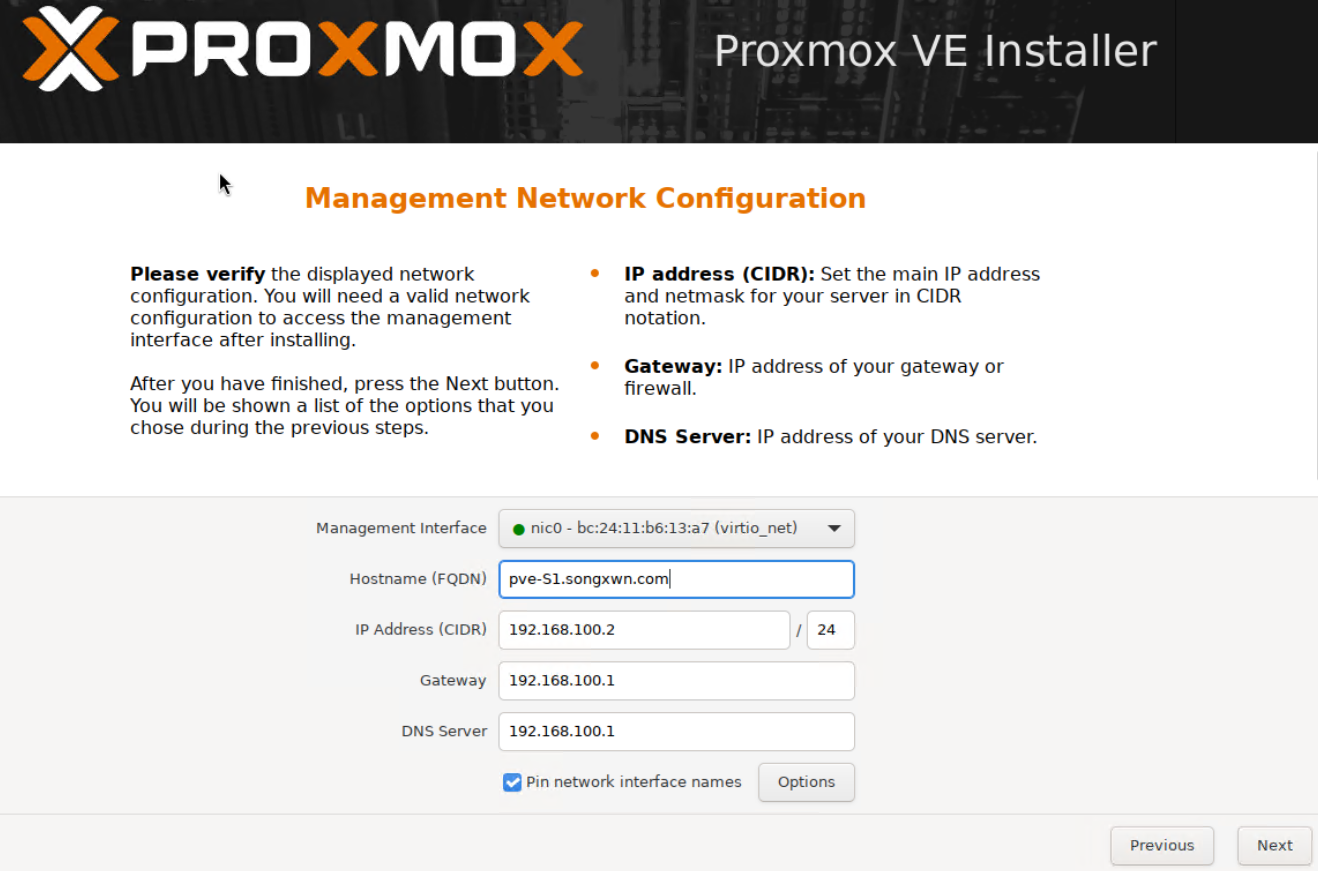
管理网络配置 - 网卡、主机名、IP地址、网关、DNS
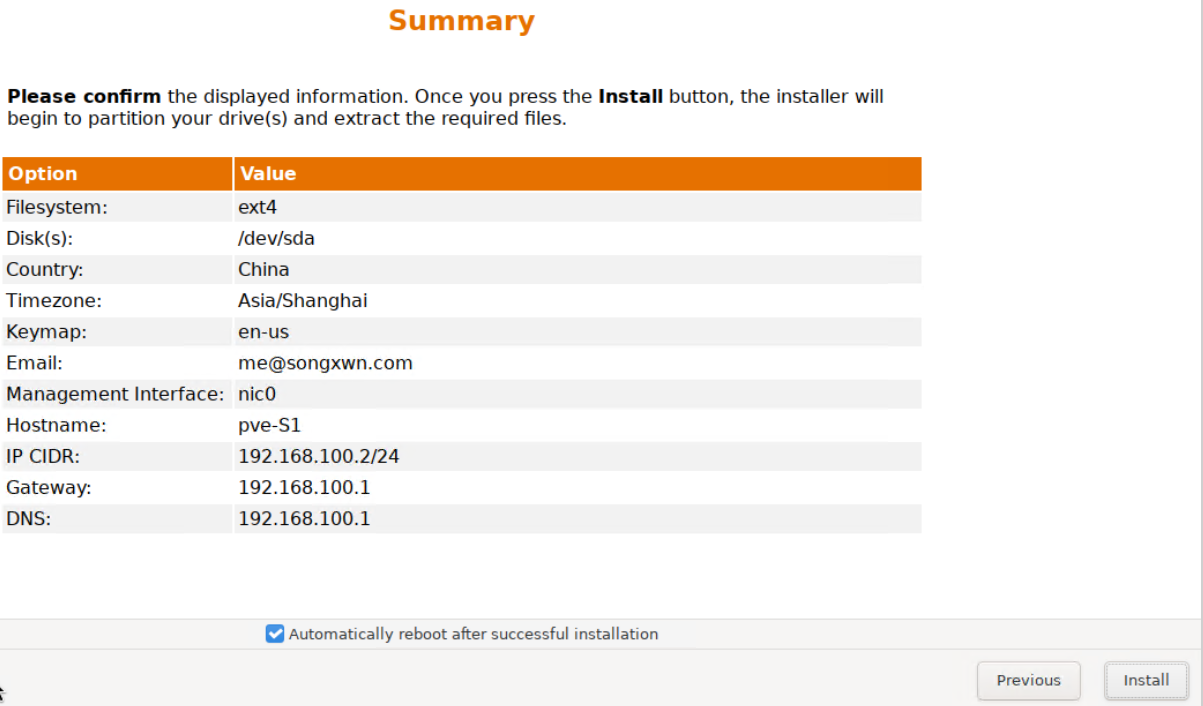
确认安装配置,正式开始安装
开始安装写入系统
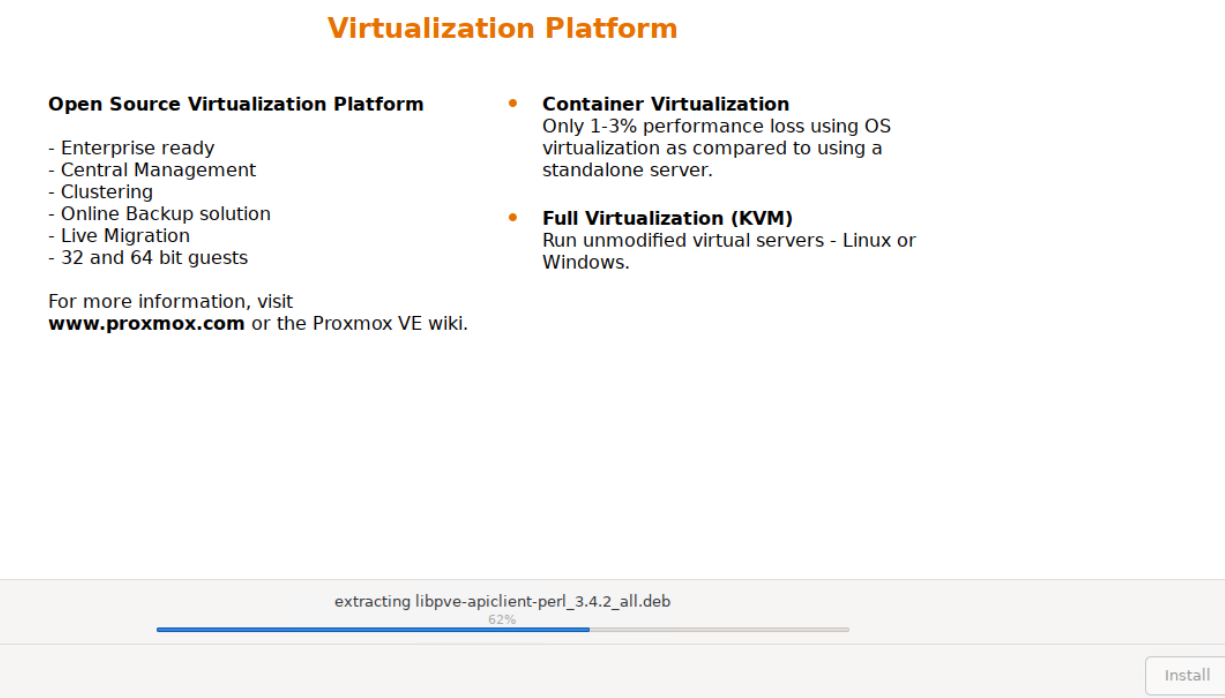
安装完成后自动重启
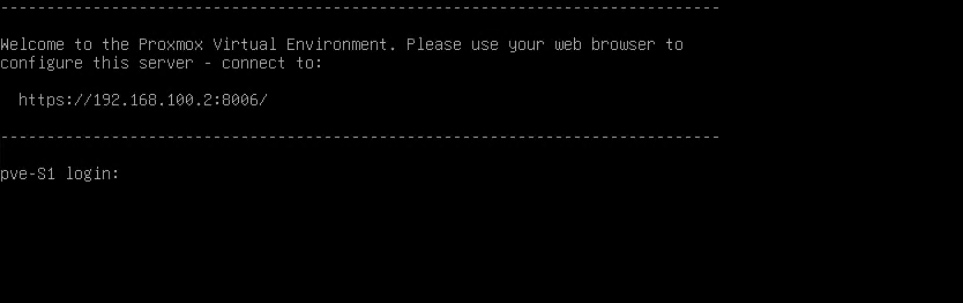
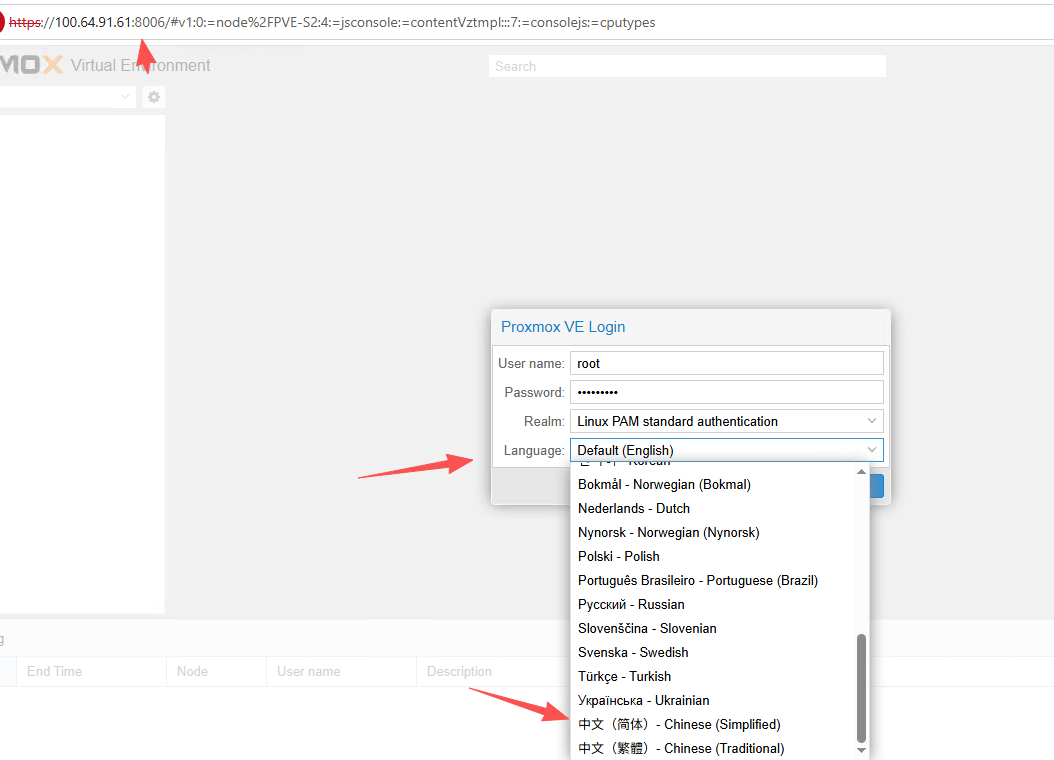
PVE配置中国大陆镜像源 - 适用于PVE 9.2+
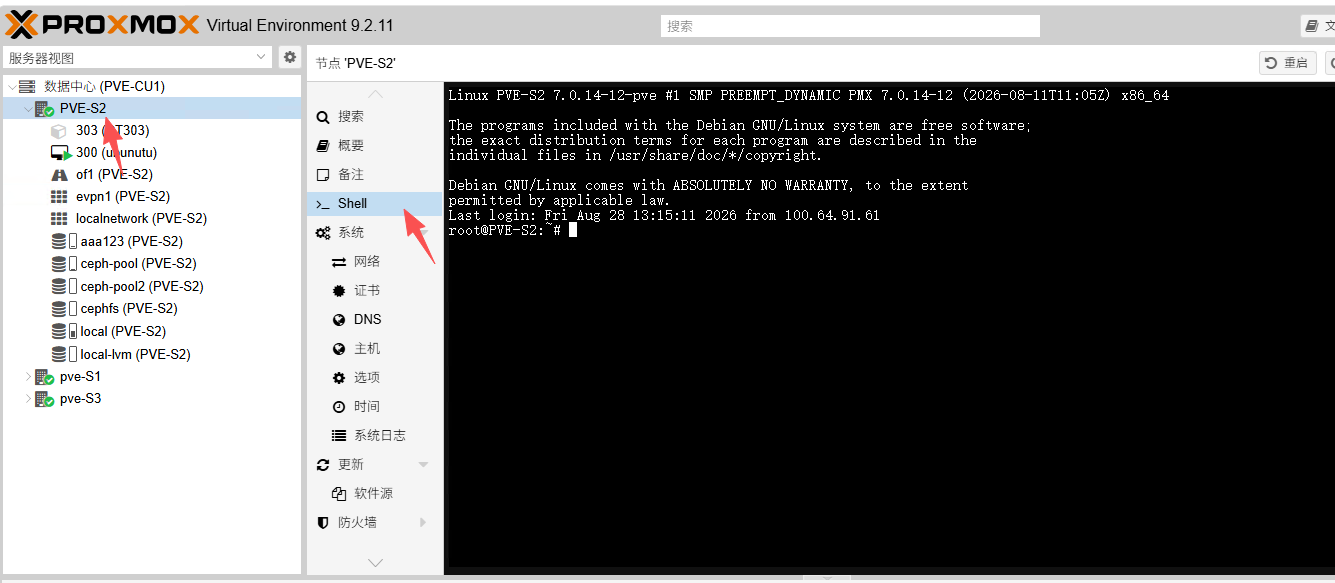
apt来源:https://help.mirrorz.org
Debian系统源
1
2
3
4
5
6
7
8
9
10
11
12
13
14
15
16
17
18
19
20
21
22
23
24
25
26
27
| printf '%s' 'Types: deb
URIs: https://mirrors.tuna.tsinghua.edu.cn/debian
Suites: trixie trixie-updates trixie-backports
Components: main contrib non-free non-free-firmware
Signed-By: /usr/share/keyrings/debian-archive-keyring.gpg
# 默认注释了源码镜像以提高 apt update 速度,如有需要可自行取消注释
# Types: deb-src
# URIs: https://mirrors.tuna.tsinghua.edu.cn/debian
# Suites: trixie trixie-updates trixie-backports
# Components: main contrib non-free non-free-firmware
# Signed-By: /usr/share/keyrings/debian-archive-keyring.gpg
# 以下安全更新软件源为官方源配置
Types: deb
URIs: https://security.debian.org/debian-security
Suites: trixie-security
Components: main contrib non-free non-free-firmware
Signed-By: /usr/share/keyrings/debian-archive-keyring.gpg
# Types: deb-src
# URIs: https://security.debian.org/debian-security
# Suites: trixie-security
# Components: main contrib non-free non-free-firmware
# Signed-By: /usr/share/keyrings/debian-archive-keyring.gpg
' | tee /etc/apt/sources.list.d/debian.sources
|
PVE源 - 非订阅版
1
2
3
4
5
6
| printf '%s' 'Types: deb
URIs: https://mirrors.tuna.tsinghua.edu.cn/proxmox/debian/pve
Suites: trixie
Components: pve-no-subscription
Signed-By: /usr/share/keyrings/proxmox-archive-keyring.gpg
' | tee /etc/apt/sources.list.d/pve-no-subscription.sources
|
Ceph源 - 非订阅版 Ceph 20
1
2
3
4
5
6
| printf '%s' 'Types: deb
URIs: https://mirrors.tuna.tsinghua.edu.cn/proxmox/debian/ceph-tentacle
Suites: trixie
Components: no-subscription
Signed-By: /usr/share/keyrings/proxmox-archive-keyring.gpg
' | tee /etc/apt/sources.list.d/ceph.sources
|
删除企业版订阅源
1
| mv /etc/apt/sources.list.d/pve-enterprise.sources /etc/apt/sources.list.d/pve-enterprise.sources.bak
|
测试是否成功
1
2
3
4
5
6
7
8
9
10
11
12
13
14
15
16
17
18
19
20
21
| root@pve-S1:~# apt update
Hit:1 https://security.debian.org/debian-security trixie-security InRelease
Hit:2 https://mirrors.tuna.tsinghua.edu.cn/proxmox/debian/ceph-tentacle trixie InRelease
Get:3 https://mirrors.tuna.tsinghua.edu.cn/debian trixie InRelease [140 kB]
Get:4 https://mirrors.tuna.tsinghua.edu.cn/debian trixie-updates InRelease [47.3 kB]
Get:5 https://mirrors.tuna.tsinghua.edu.cn/debian trixie-backports InRelease [54.0 kB]
Hit:6 https://mirrors.tuna.tsinghua.edu.cn/proxmox/debian/pve trixie InRelease
Get:7 https://mirrors.tuna.tsinghua.edu.cn/debian trixie/non-free-firmware amd64 Packages [6,884 B]
Get:8 https://mirrors.tuna.tsinghua.edu.cn/debian trixie/non-free amd64 Packages [100 kB]
Get:9 https://mirrors.tuna.tsinghua.edu.cn/debian trixie/main amd64 Packages [9,673 kB]
Get:10 https://mirrors.tuna.tsinghua.edu.cn/debian trixie/contrib amd64 Packages [53.8 kB]
Get:11 https://mirrors.tuna.tsinghua.edu.cn/debian trixie-updates/main amd64 Packages [4,412 B]
Get:12 https://mirrors.tuna.tsinghua.edu.cn/debian trixie-backports/contrib amd64 Packages [7,932 B]
Get:13 https://mirrors.tuna.tsinghua.edu.cn/debian trixie-backports/non-free-firmware amd64 Packages [6,480 B]
Get:14 https://mirrors.tuna.tsinghua.edu.cn/debian trixie-backports/main amd64 Packages [318 kB]
Get:15 https://mirrors.tuna.tsinghua.edu.cn/debian trixie-backports/non-free amd64 Packages [7,952 B]
Fetched 10.4 MB in 2s (4,269 kB/s)
All packages are up to date.
# 运行apt update 无报错则代表成功。
|
删除订阅弹窗
1
2
3
4
5
6
7
8
9
10
| cp /usr/share/javascript/proxmox-widget-toolkit/proxmoxlib.js \
/usr/share/javascript/proxmox-widget-toolkit/proxmoxlib.js.bak
line_num=$(grep -n "res.data.status.toLowerCase() !== 'active'" \
/usr/share/javascript/proxmox-widget-toolkit/proxmoxlib.js | head -1 | cut -d: -f1)
sed -i "${line_num}s/!==/===/" /usr/share/javascript/proxmox-widget-toolkit/proxmoxlib.js
systemctl restart pveproxy
|
完成后,重新登录 PVE Web 界面将不再出现「无有效订阅」弹窗,同时 「软件包版本」按钮依旧可用。
PS:最好强制刷新浏览器 Ctrl+F5
运维技术交流群
发送邮件到 ➡️ [email protected]
或者关注WX公众号:网工格物

博客(最先更新)
https://songxwn.com/